
Staff and lesson scheduling for music schools
Run your music school. Not the paperwork.
Private lessons placed without clashes, subs matched by instrument, timesheets checked before payday, and every ensemble ready for the concert: the staff side of your school in one app.
Keep your enrollment software. Unlimited staff on every plan. Teach dance too? Same app, same price.
Private lessons, placed in seconds.
Lessons go on the same schedule as your classes. Tap a free spot on the room calendar, for one week or every week, and TeamSpot checks that the teacher, the room and, with Pro, the school's instrument are free every week before it's saved.
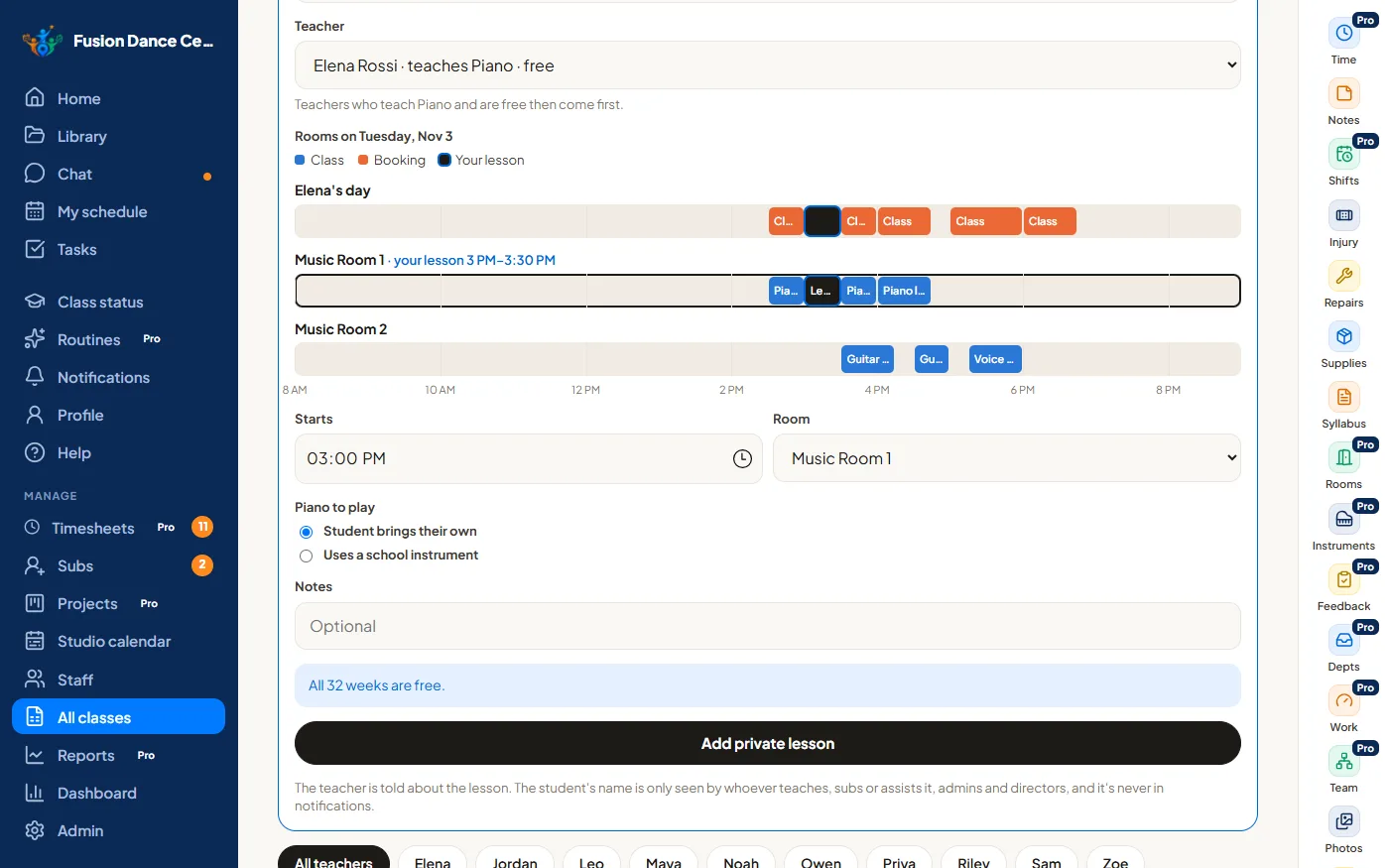
- Add a lesson in a few taps, for one week or every week
- Teacher, room and time-off clashes caught before it's saved
- The school's own instruments, so two lessons never need the same pianoPro
- Music rooms, dance rooms and rooms for both: each lesson is offered the rooms that fit
- Instruments as class types, with music levels kept apart from dance levels
- Lessons on the teacher's schedule and timesheet, like any class
- Teachers who teach that instrument are asked first to sub
- Only the student's name: no student records, no billing
Finding a sub shouldn't take ten phone calls.
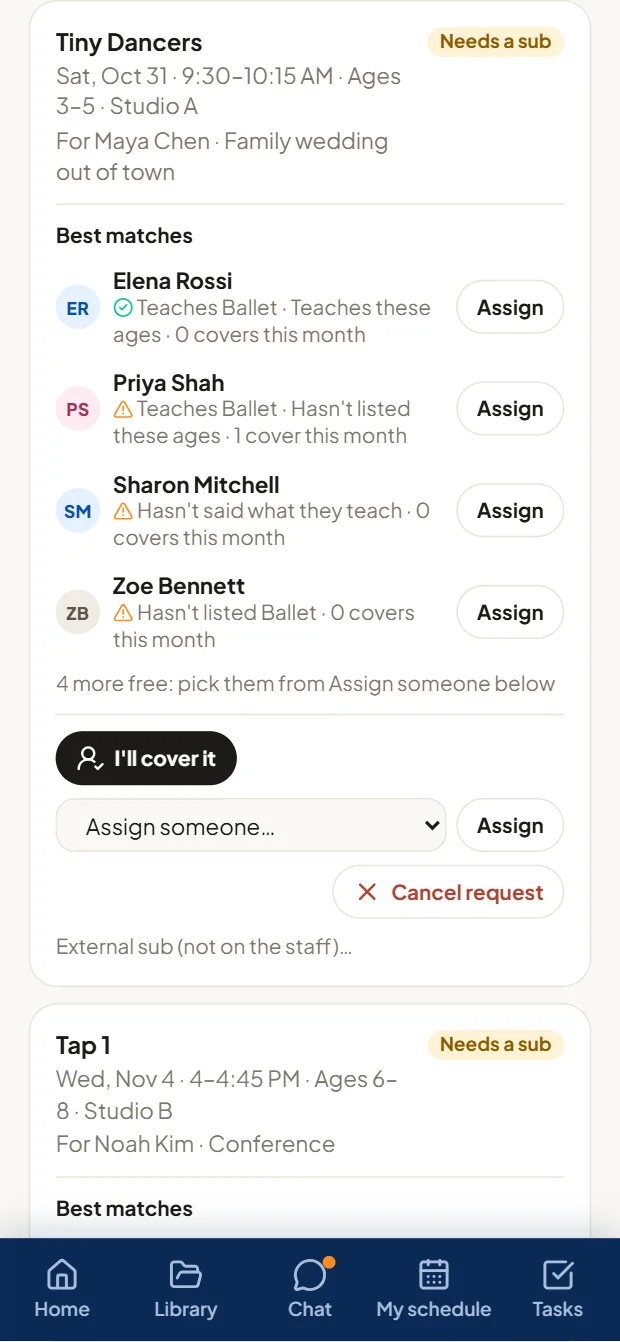
When you approve a teacher's time off, TeamSpot asks for a sub for every class and lesson they'll miss. Teachers who teach that instrument hear first; if nobody takes it, it goes out to everyone who's free. The first to accept gets it.
- A sub request for every class and lesson they'll miss, the moment time off is approved
- Teachers who teach that instrument and want to sub hear first, then everyone who's free
- The first to accept is assigned
- The sub sees the student's name, the room and the regular teacher's notes
- Directors see what's still open, with the best matches and one-click Assign
- Time off withdrawn? Requests nobody has taken are canceled
- 1Time off requested
- 2Director approves
- 3Sub requests go out
- 4A teacher accepts
- 5Lesson covered
No phone trees. No endless group texts. No forgotten lessons.
Every ensemble and performance, ready or not, at a glance.
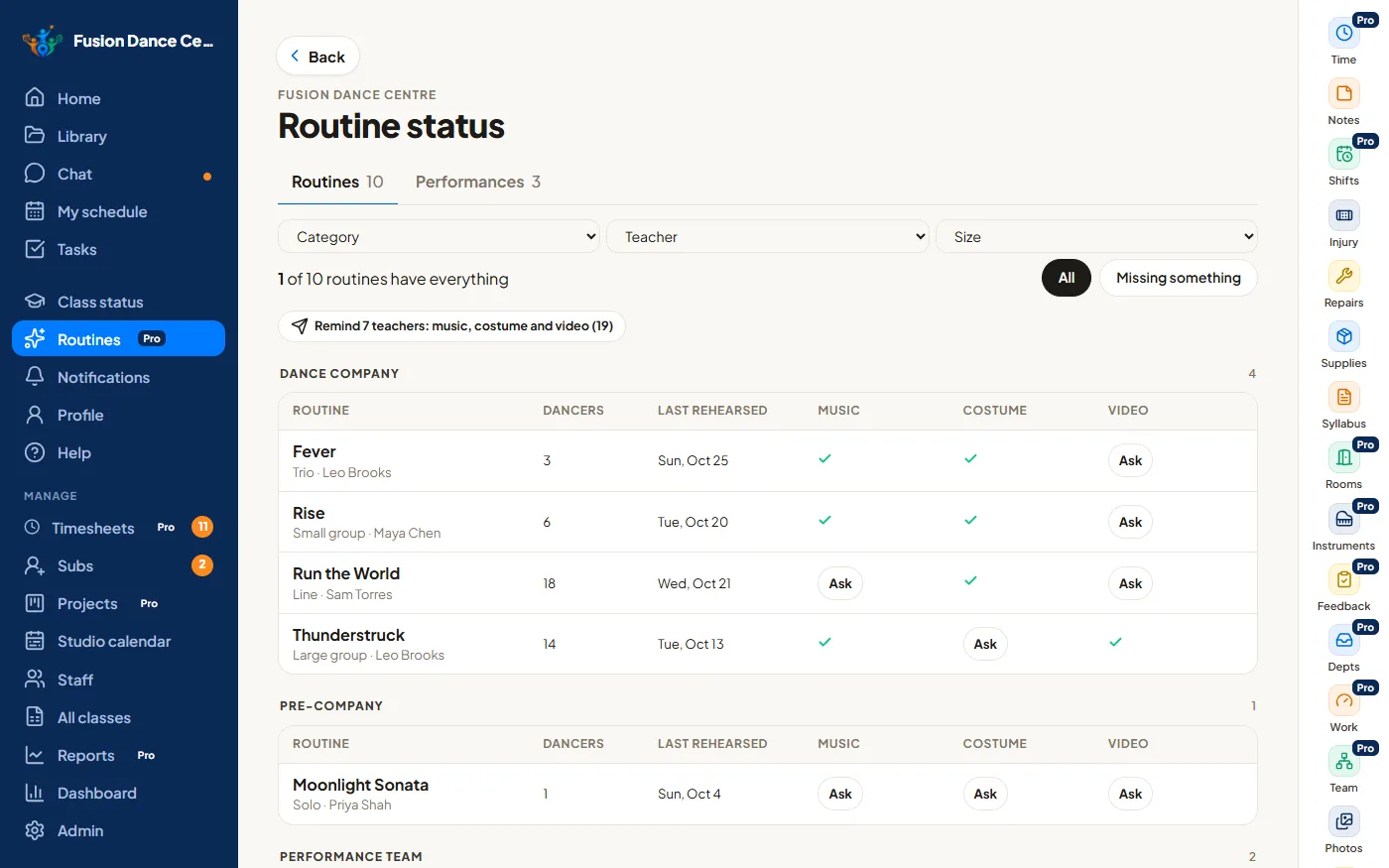
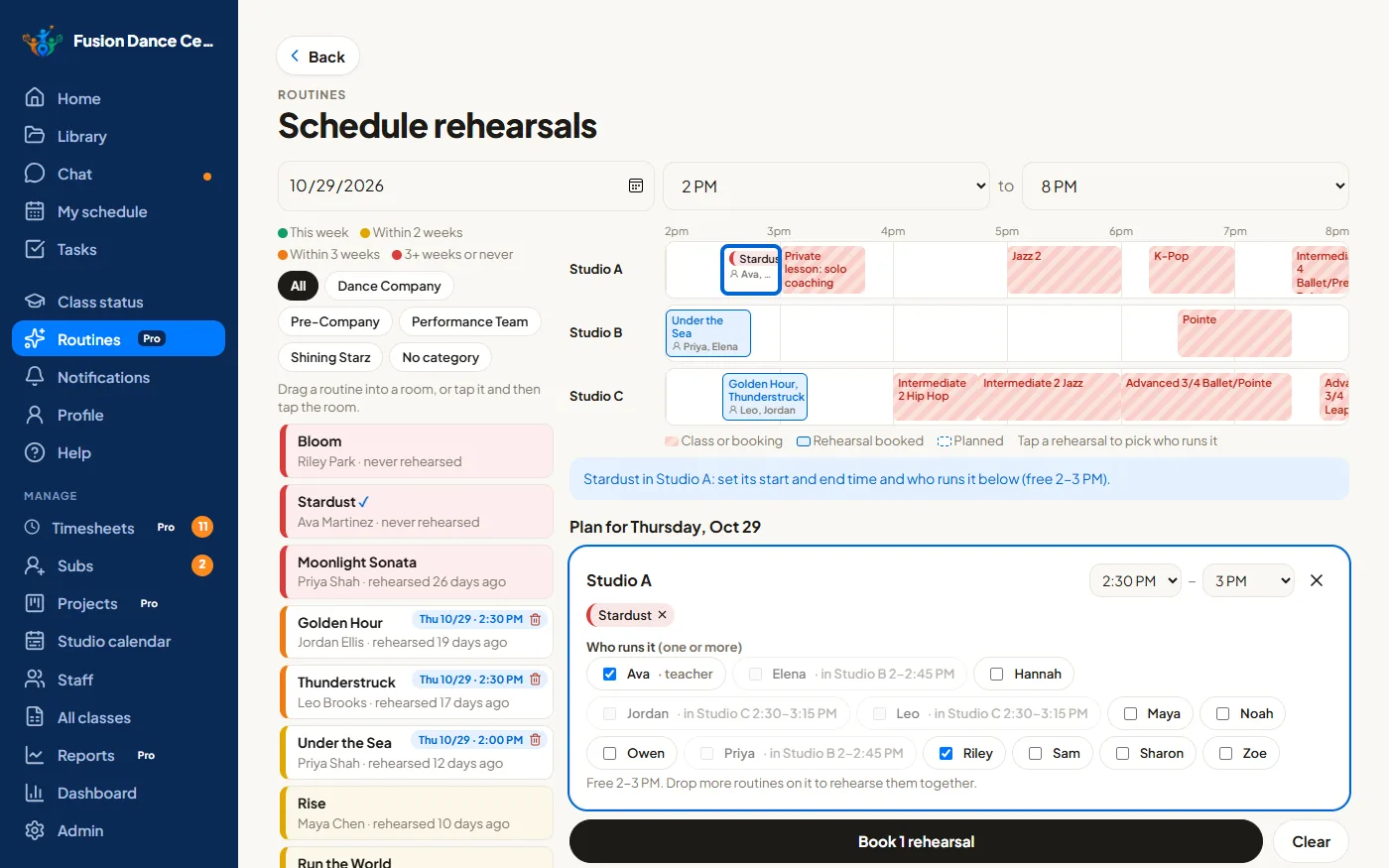
Performances for ensembles, recitals and musical theater keep their repertoire, sheet music and recordings together. See what each one is still missing, plan rehearsals across your rooms, and ask the teacher in one tap.
- Performances for ensembles, recitals and musical theaterPro
- Repertoire, sheet music and recordings with each onePro
- What each performance is missing, and one tap reminds its teacherPro
- Rehearsals placed in rooms that fit, with clashes caughtPro
- Class status: music, costume, recital video and lesson plan for every class
- Running order, call times and costume checklists
- Jobs for every helper on the day
- Save the whole plan as a template and reuse it next seasonPro
Still spending your evenings fixing payroll?
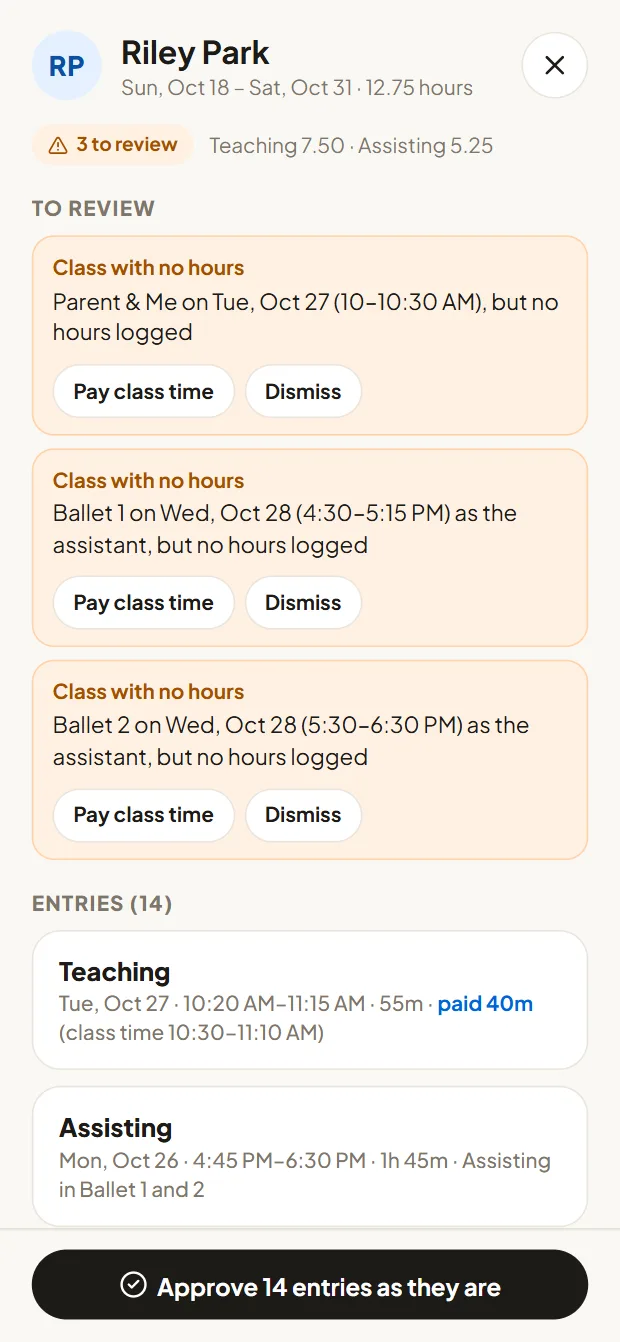
Collecting timesheets, chasing missing hours, spotting mistakes and fixing them can eat up hours every pay period. TeamSpot checks the hours for you, shows you what needs a look, and makes the common fixes one click.
- Checked before paydayMissed clock-outs, classes with no hours logged, overlapping entries, weeks over 40 hours and time that doesn't match the schedule are flagged before you export.
- One-click fixesA class with no hours? Pay class time adds it. Not a mistake? Dismiss it. Then approve everyone who's ready in one click.
- Less chasingTeachers check and fix their own hours until your cutoff.
- Nobody approves their own timeAccountability built in, for every role.
- Your pay rulesPay teachers for the scheduled class time or for the time they clocked. Other work is paid as clocked.
- Clean exportsHours per person and category, plus a detailed sheet with paid and clocked hours side by side, for your payroll provider.
- Set your pay periods onceThey repeat, with the edit cutoff and payday shown to everyone.
- Share the reviewingLet your office manager, or anyone you choose, review and approve timesheets too.
- 1Staff clock in
- 2TeamSpot checks the hours
- 3You see what needs a look
- 4Fix it in one click
- 5Approve and export
Less reviewing. Fewer errors. Hours back every pay period.
TeamSpot prepares and exports hours for your payroll provider. It doesn't run payroll or pay anyone. Estimate what it could save you →
Everything your teachers need. Right where they need it.
No digging through old messages or wondering where to find something. It's all on their phone, with nothing to download from an app store.
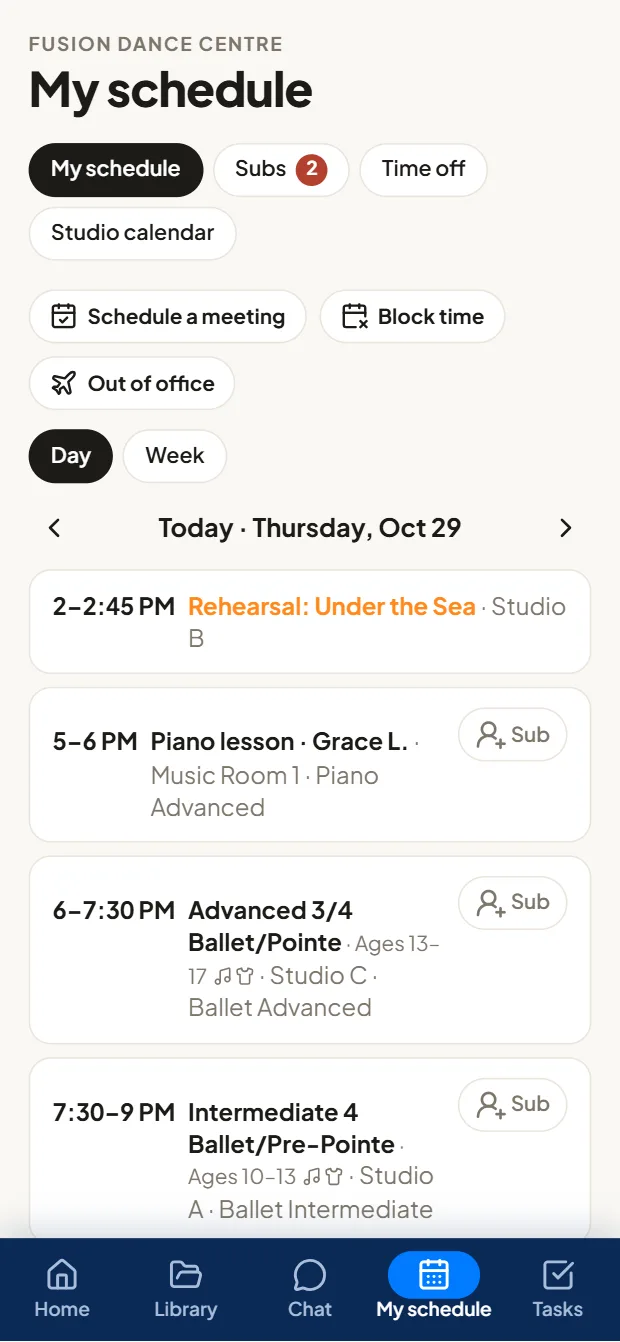
- Their week of lessons, classes, shifts and meetings
- Repertoire, sheet music, recordings and lesson notes
- Request time off, and pick up a sub request in one tap
- Their tasks, announcements and the team chat
Your whole team in one place
- Today at a glance: classes, cover, approvals
- Timesheets checked and ready to exportPro
- Reports on every part of the schoolPro
- Find a sub in minutes
- Observe classes and give feedbackPro
- Each teacher's record: classes, call-outs, late clock-insPro
- Performances, rehearsals and projects on track
- Today's lessons, music and notes
- Ask for a sub or pick one up
- Clock in, chat and announcements
- Their shifts on Today and their schedule
- Rooms booked without double-bookingPro
- Repairs and supplies tracked to done
Keep your enrollment software. Replace the operational chaos.
Your registration, tuition and billing system stays exactly as it is. TeamSpot runs everything behind it: your team, your lessons and your school's day-to-day operations.
- No student database or tuition to move
- Bring your class schedule in from your school software's export
- Staff get one app; families never see it
One app for dance studios, music schools, or both
An admin picks dance, music or both for each location, and the right tools appear. Switch off anything you don't use. Same plans and prices whichever you choose.
See how TeamSpot works with a real school.
Click around the real app as an owner, director, teacher or front desk. Sample data, nothing saved, no sign-up.